
Build Once Process Anything.
A single platform for HTML rendering, image processing, and PDF workflows — delivered through simple, production-ready APIs.
Core Processing Endpoints
H2I exposes a focused set of external APIs for common media processing workflows, designed to be predictable and safe for production use.
HTML Endpoints
Render HTML into images or PDFs with controlled viewport and layout settings, producing consistent output for emails, reports, previews, and dynamic content generation in production environments.
Image Endpoints
Transform images through resizing, format conversion, optimization, cropping, and watermarking, with predictable results suitable for high-volume and production-grade visual workflows.
PDF Endpoints
Manipulate PDF files by merging, splitting, compressing, rotating pages, and extracting content, enabling reliable document processing across automated and integrated systems.
Tools Endpoints
Analyze files to extract metadata, validate inputs, and perform file-based processing actions through structured API requests designed for predictable behavior and production use.
Why Developers Choose H2I
H2I is built for teams that need reliability, clarity, and scale — without trading control or transparency.
Production-First Architecture
Every request is validated, controlled, and executed with production safety in mind. Timeouts, concurrency limits, and usage tracking are enforced automatically to prevent unpredictable behavior.
Clean & Predictable APIs
H2I avoids fragmented or experimental endpoints. Each API follows a consistent structure, making integration easy and reducing long-term maintenance costs.
No Infrastructure Overhead
There are no render engines, workers, queues, or schedulers for you to manage. You send a request — H2I handles execution and delivery.
Built for Automation
H2I integrates cleanly into CI pipelines, CMS platforms, backend services, and automated workflows where consistent behavior, repeatable requests, and predictable results are required.
Secure Output Delivery
Processed files are returned as structured responses with controlled output URLs, allowing safe integration with applications, storage systems, and delivery layers.
Transparent Usage Control
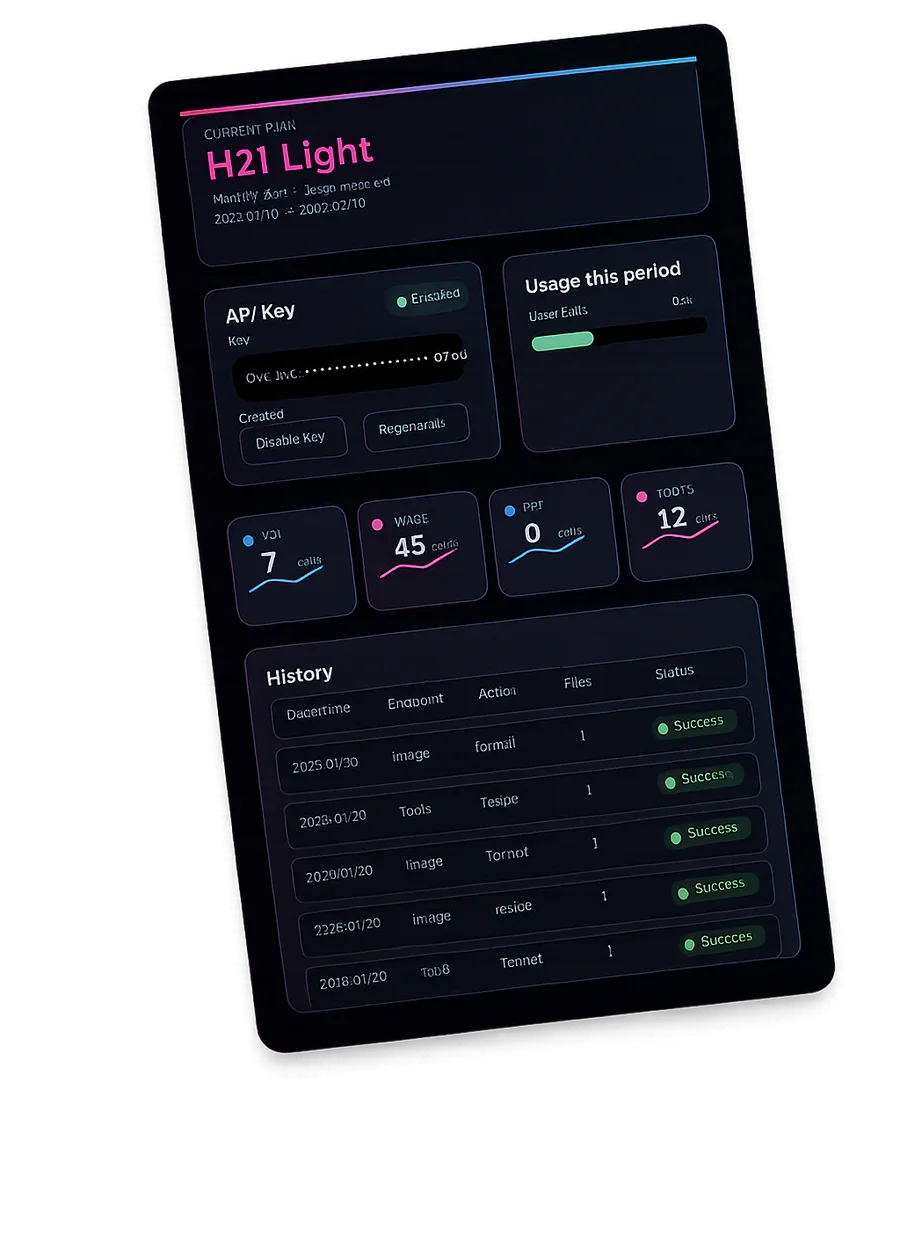
Rate limits, quotas, and usage behavior are enforced consistently so teams can plan usage, monitor activity, and scale with confidence.
One Platform, Many Workflows
From simple image optimization to HTML rendering and document processing, H2I provides a unified access layer that exposes multiple processing capabilities through consistent, production-ready APIs.
How H2I Works
H2I provides a simple, secure way to turn inputs into processed outputs, whether you are using the API or working directly through the H2I website.
Choose How You Use H2I
You can use H2I directly through its website pages for quick tasks, or integrate it into your application using HTTP APIs for automated and large-scale processing.
Select an Action
Choose the endpoint and action that defines how your input should be processed — such as rendering HTML, resizing an image, or manipulating a PDF.
Send Input
Send HTML, images, or documents either by uploading files through the H2I interface or by submitting structured requests from your backend or scripts.
Receive Results
H2I processes the request and returns structured results, including secure URLs to ready-to-use output files that can be stored, delivered, or reused immediately.
Call the API with a Simple HTTP Request
H2I works with any language or framework that can send HTTP requests. Below are real examples using the Image Processing API.
curl -X POST "https://api.h2i.dev/v1/image" \
  -H "Authorization: Bearer YOUR_API_KEY" \
  -F "action=resize" \
  -F "width=800" \
  -F "format=webp" \
  -F "image=@input.jpg"
<?php
$ch = curl_init("https://api.h2i.dev/v1/image");

curl_setopt_array($ch, [
  CURLOPT_RETURNTRANSFER => true,
  CURLOPT_POST => true,
  CURLOPT_HTTPHEADER => [
    "Authorization: Bearer YOUR_API_KEY"
  ],
  CURLOPT_POSTFIELDS => [
    "action" => "resize",
    "width" => "800",
    "format" => "webp",
    "image" => new CURLFile("input.jpg")
  ]
]);

$response = curl_exec($ch);
curl_close($ch);

echo $response;
import fetch from "node-fetch";
import FormData from "form-data";
import fs from "fs";

const form = new FormData();
form.append("action", "resize");
form.append("width", "800");
form.append("format", "webp");
form.append("image", fs.createReadStream("input.jpg"));

const res = await fetch("https://api.h2i.dev/v1/image", {
  method: "POST",
  headers: {
    "Authorization": "Bearer YOUR_API_KEY"
  },
  body: form
});

const data = await res.json();
console.log(data);
import requests

url = "https://api.h2i.dev/v1/image"
headers = {
    "Authorization": "Bearer YOUR_API_KEY"
}

files = {
    "image": open("input.jpg", "rb")
}

data = {
    "action": "resize",
    "width": 800,
    "format": "webp"
}

response = requests.post(url, headers=headers, files=files, data=data)
print(response.json())
Real World Use Cases
User Upload Optimization
H2I can sit behind user upload flows to automatically normalize and optimize images before storage or delivery. Uploaded files are processed through the Image API to apply resizing, format conversion, and optimization, ensuring consistent quality without client-side logic.
Performance-Oriented Websites
H2I helps performance-focused websites generate lightweight, optimized assets for faster loading and consistent visuals. Images can be resized and compressed through the API during build or request time, reducing payload size without manual optimization.
Content Platforms & CMS
Content platforms can use H2I to process images and documents as part of editorial workflows. Media uploads are standardized, PDFs can be transformed or extracted, and assets are prepared for publishing without custom processing pipelines.
E-Commerce Media Pipelines
H2I enables e-commerce systems to generate consistent product images in multiple sizes and formats from a single source file. This ensures uniform visuals across listings, thumbnails, and marketing assets with automated API-driven processing.
Automated Backend Jobs
H2I fits into scheduled or event-driven backend jobs that process images, PDFs, or HTML outputs automatically. Systems trigger API requests, receive predictable results, and handle batch processing without manual intervention or infrastructure management.

Start Building with H2I
Explore the APIs, review supported actions, and integrate reliable media processing into your applications. Create a free account to try H2I with limited usage before choosing a plan that fits your needs.
Frequently Asked Questions
Davix H2I FAQ
1. What is Davix H2I?
Davix H2I is a media processing API service developed by Davix Labs. It gives applications, websites, and workflows access to backend capabilities such as HTML rendering, image processing, PDF processing, media transformation, and analysis-related tools through a structured service interface.
2. What does Davix H2I do?
Davix H2I provides backend media and document processing through a structured API service. It allows applications, websites, and workflows to render HTML into images or PDFs, process image files, work with PDF documents, and use analysis-related tools without building the underlying infrastructure themselves.
3. Who is Davix H2I for?
Davix H2I is designed for developers, teams, businesses, startups, agencies, automation builders, and website operators who want to integrate media and document processing into their own systems without building the backend infrastructure themselves.
4. What can I do with Davix H2I?
Davix H2I can be used to render HTML into images or PDFs, process and transform images, work directly with PDF files, perform media conversion tasks, and run analysis-style tools on supported media inputs.
5. Is Davix H2I only for developers?
No. Direct API integration is available for developers, but the platform also supports broader usage through integrations such as the WordPress plugin and the n8n community node. This makes the service useful in both code-based and workflow-based environments.
6. Does Davix H2I support WordPress and n8n?
Yes. Davix H2I includes a WordPress plugin and an n8n community node, making it easier to use the platform in website environments and automation workflows.
7. How do I get started with Davix H2I?
The standard way to get started is to obtain an API key, review the documentation, choose the endpoint that matches your use case, and send your first request from your application, website, or workflow.
8. How do I get an API key?
Davix H2I provides access through API keys. Users obtain API access through the Davix H2I product layer and then use that key to authenticate requests to the public API endpoints.
9. How do I use my API key?
Public API requests are authenticated using your API key in the request headers. The public authentication model supports
X-Api-KeyandAuthorization: Bearer <key>.10. Can I use Davix H2I in apps, websites, and automation workflows?
Yes. Davix H2I is designed to work across custom applications, backend systems, websites, automation workflows, and content production environments.
11. Why would I use Davix H2I instead of building this myself?
Davix H2I is built to make advanced backend processing easier to access and easier to integrate. Instead of spending time building and maintaining separate rendering, image, and document-processing systems, you can use a single service designed to provide these capabilities in a structured way.
12. What do I get when I buy access to Davix H2I?
You get access to Davix H2I’s backend processing capabilities through the public API and supported integration paths, allowing your system to render HTML, process images, work with PDFs, and use analysis-related tools as part of your own products and workflows. For plan details and commercial information, users should check the Pricing page.
13. How are requests processed behind the service?
Requests sent through Davix H2I are executed by the H2I engine (PixLab). Davix H2I acts as the product and service layer, while the H2I engine (PixLab) performs the rendering, transformation, and processing tasks behind the scenes.
14. Where do I send API requests?
Davix H2I provides public API endpoints for H2I, Image, PDF, and Tools operations. These are available through the public
/v1/*API surface.15. What happens if my request is invalid or unsupported?
If a request is invalid, missing required input, or uses unsupported values, the API returns a structured error response so your application or workflow can handle the issue correctly. For the full list of errors and their meanings, users should check the Errors and Limits section of the documentation.
16. Where should I look for pricing, plans, or usage limits?
For current pricing, plan details, and commercial information, users should check the Pricing page. For current technical limits, usage rules, and endpoint-specific restrictions, users should check the Errors and Limits section of the documentation.